Digital Contract Signing & E-Signatures
Legally enforceable digital signatures for employment contracts: one-time SMS codes, Face ID/fingerprint biometrics, SHA-256 document anchoring, a hash-chained audit trail and verifiable signing certificates — built into the Chegatta HR platform.
Digital signatures your contracts can prove — and nobody can fake
Sign employment contracts inside the app your team already uses. One-time SMS codes + Face ID / fingerprint verify who signs, SHA-256 anchoring seals what they signed, and a hash-chained audit trail proves nothing changed afterwards.
No credit card required · 14 days full access · Cancel anytime
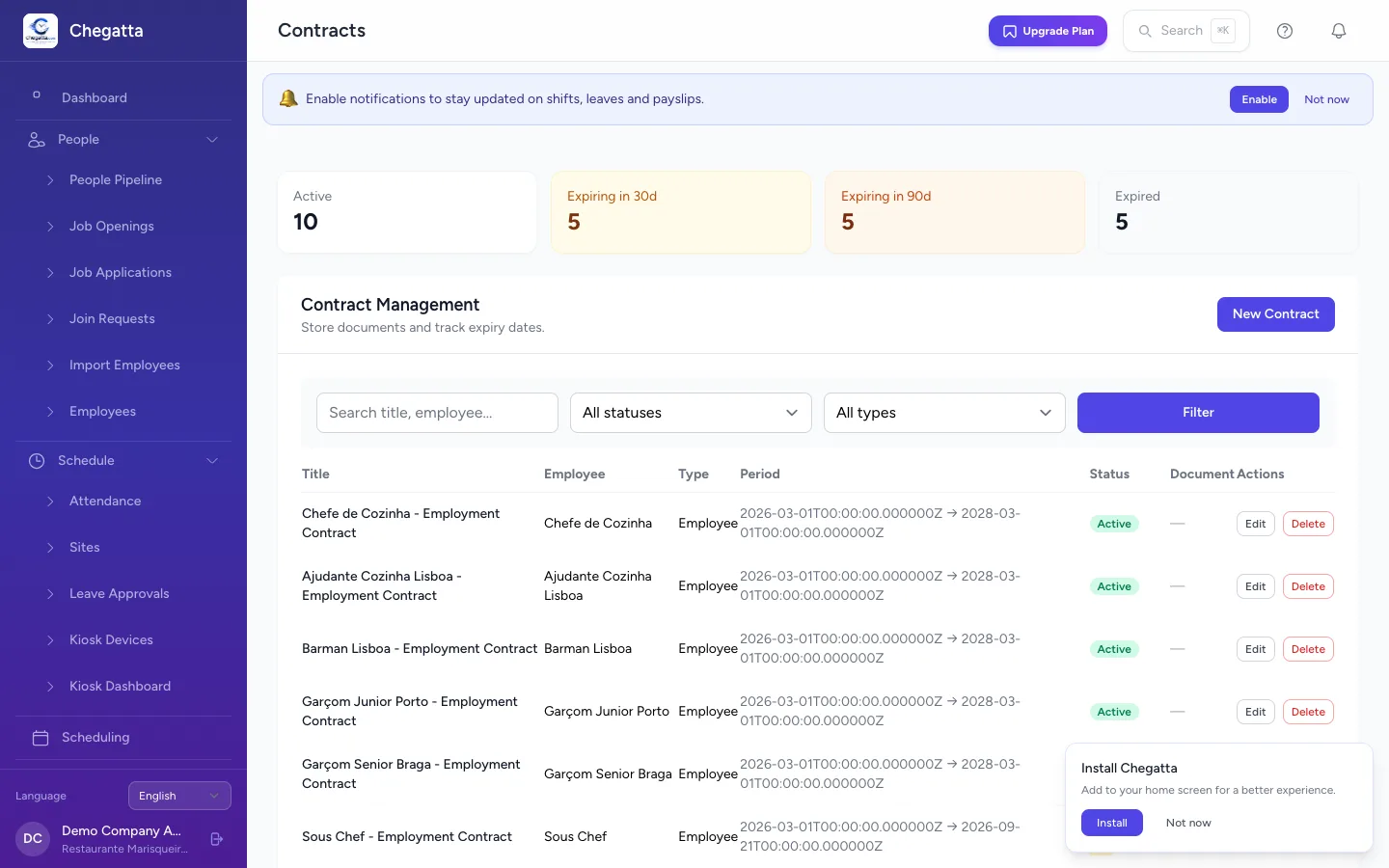
Everything a signed contract needs
The Chegatta Trust Service is a complete digital-signature engine: identity verification, document integrity, and an audit trail that holds up in a labour dispute.
One-Time SMS Codes
Every signing generates a single-use code sent to the employee's verified mobile number. It expires in minutes, can't be reused, and proves the signer controls that number.
Biometric Identity
Face ID or fingerprint on the employee's registered device, plus their typed name. The person, the phone and the contract are bound together at the moment of signing.
SHA-256 Document Anchoring
Every contract is hashed the moment it's uploaded. That hash is re-verified the instant signing happens — if even one byte changed, the signature is refused.
Hash-Chained Audit Trail
Every event — upload, request, SMS sent, code verified, signed — is linked into a hash chain where each entry seals the previous one. One broken link and every contract flags it.
Verifiable Signing Certificates
Each signature gets a certificate with a public verify page, certificate ID, timestamp, and the exact document hash — anyone can re-check authenticity independently.
Anti-Fraud Hardening
Signing is tied to registered devices via fingerprinting. New devices, shared devices, and unusual patterns are flagged automatically — buddy-punching logic applied to signatures.
Evidence Bundles
Signed PDF, evidence manifest, and the full audit event chain are stored together and re-hashable in a single step — ready to hand to a lawyer or labour inspector.
No Separate Tool
Signing lives inside the Chegatta app employees already clock in with. No extra account, no extra cost per signature, no copy-pasting PDFs into folders.
Three steps to a signature you can prove
No printers, no couriers, no email ping-pong. The whole flow happens in the app — with evidence captured at every step.
- 1Send & Notify
Generate the employment contract in Chegatta. The employee gets it instantly in their mobile app — with a push notification.
- 2Prove Identity
A one-time SMS code is sent to their verified number, they confirm it, then Face ID or fingerprint unlocks the signing screen on their registered device.
- 3Sign & Seal
The document hash is re-verified, the signature is applied, and every event is sealed into the hash-chained audit trail. A printable certificate is generated instantly.
Proof, not just a signature
A disputed signature needs evidence: who signed, what they signed, and proof it never changed. The Trust Service captures all three automatically.
- Immutability — Signed documents cannot be replaced or deleted — only versioned as a new contract. Storage tampering is detected by re-hashing.
- On-Demand Integrity Check — Re-hash any document, bundle, manifest, or the entire event chain with one command. Any mismatch is flagged immediately.
- Audit Export — Export the full evidence trail as CSV — timed, hashed events ready for solicitors, inspectors, or export to third-party archives.
- Public Verification — Each certificate has a public verify page with its certificate ID — employees, courts and regulators can check authenticity without an account.
Integrity verified. Hash chain intact across all 128 events.
One flow, every role covered
From HR to the frontline worker, each person gets exactly the signing tools they need.
HR & Company Admin
Creates contracts, sends signing requests, monitors status, and exports evidence. Full control over who can request signatures.
- Create & version contracts
- Track signing status live
- Export evidence bundles & CSV
- Public verify certificates
Agency / Multi-Client
Staffing agencies signing workers for multiple client companies — each assignment, each contract, with its own evidence chain.
- Per-company signing records
- Bulk contract generation
- Renewal & re-sign workflows
- Cross-company compliance view
Employee / Signer
Sees the contract on their own phone, proves identity with a code + biometrics, and signs — no new app, no new login.
- One-tap sign from the app
- SMS code delivered instantly
- Face ID / fingerprint unlock
- Personal certificate copy
Sign from the app your team already uses
Native iOS and Android apps with SMS one-time codes, Face ID / fingerprint unlocking, offline support, push notifications, and personal certificates. Feature parity with web — or sign from any mobile browser.
Start your free 14-day trial today — no credit card required.
Frequently asked questions
Is this a qualified electronic signature (QES)?
The Trust Service produces strong advanced-signature-style evidence — verified identity (SMS one-time code + on-device biometrics), document integrity (SHA-256 anchoring) and a hash-chained audit trail. For most employment contracts this evidence is enough in a labour dispute. A qualified electronic signature (QES) requires a certificate from a qualified trust service provider — if your use case requires QES, you would layer a qualified provider on top.
What if an employee has no verified phone number?
The signing flow automatically falls back to biometric-only signing (registered device + Face ID / fingerprint + typed name), so nobody is blocked. As soon as a valid number is added, new signings automatically include SMS verification.
Can signed documents be edited or deleted?
No. Signed documents are immutable — they cannot be replaced or deleted, only versioned as a new contract. Because every stored PDF is hash-anchored and re-verifiable with a single command, any tampering with storage would be detected.
How do I verify a signature later?
Three ways: the audit viewer on each contract shows the full hash chain with an integrity badge; you can export the trail as CSV; and a built-in integrity check re-hashes every stored document, bundle, manifest and the entire event chain on demand — any mismatch is flagged.
Do employees need a separate tool?
No. Signing happens inside the Chegatta mobile app the employee already uses to clock in — same login, no new tool, no extra cost per signature.
What does Trust Service signing cost?
Trust Service signing is included with the 14-day free trial and with every paid plan — no per-signature fees. See the pricing page for plan details.
Start free — no credit card
GPS + QR kiosk clock-in, geofencing & SEPA payroll in one place. Setup in 2 minutes.